Card Pocket

Card holder · Offline card storage

Your card photos and notes, at hand.

A simple card holder app for membership and loyalty cards. Keep photos, numbers, and notes together on your phone, find any card in seconds, even offline. Your data stays with you, not with us.

  • One-time purchase
  • No ads or subscription
  • No account
View on the App Store Android: coming soon

iPhone (iOS 17 or later) / Android (Android 10 or later)

The app's interface is in English. This site is available in 7 languages.

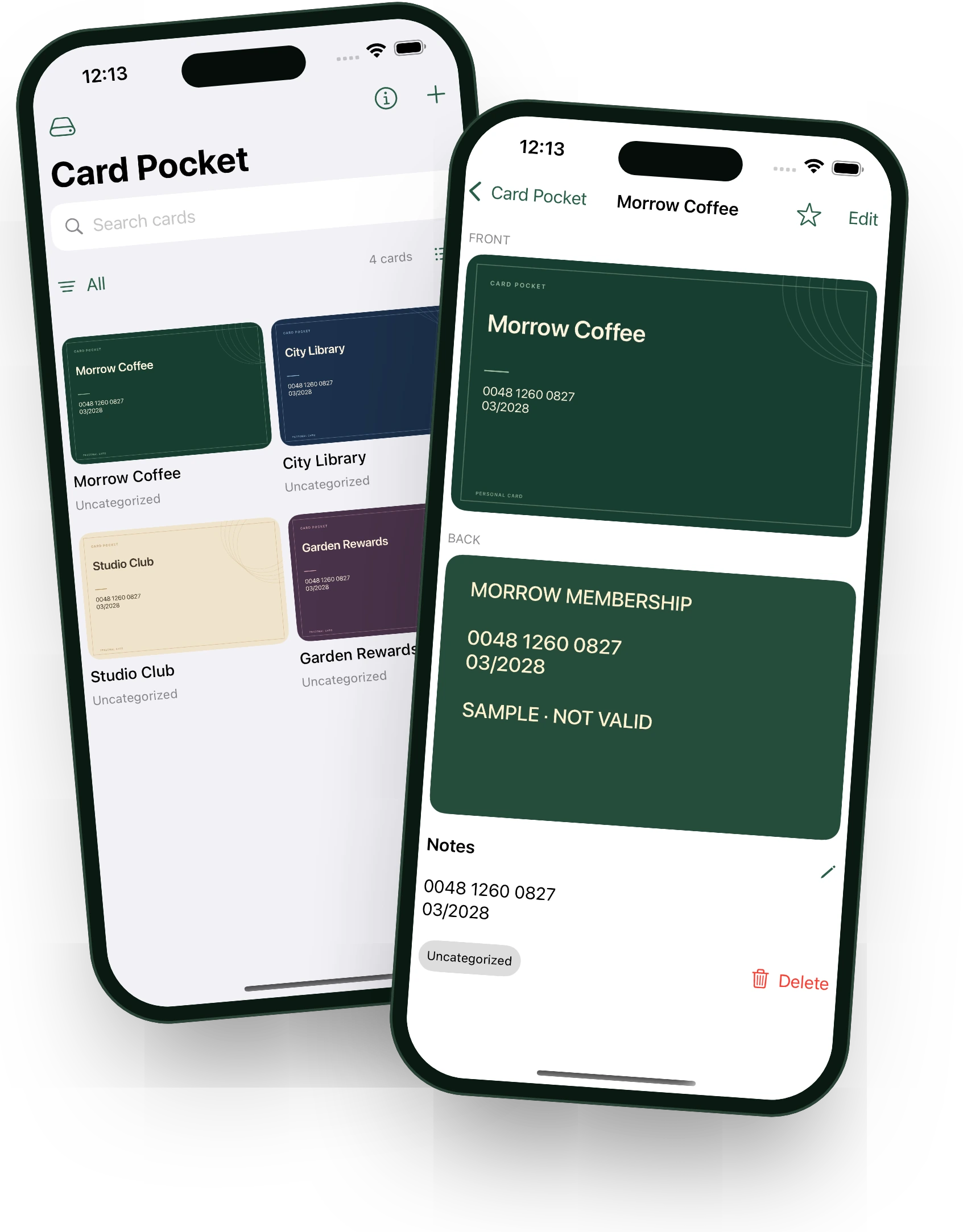
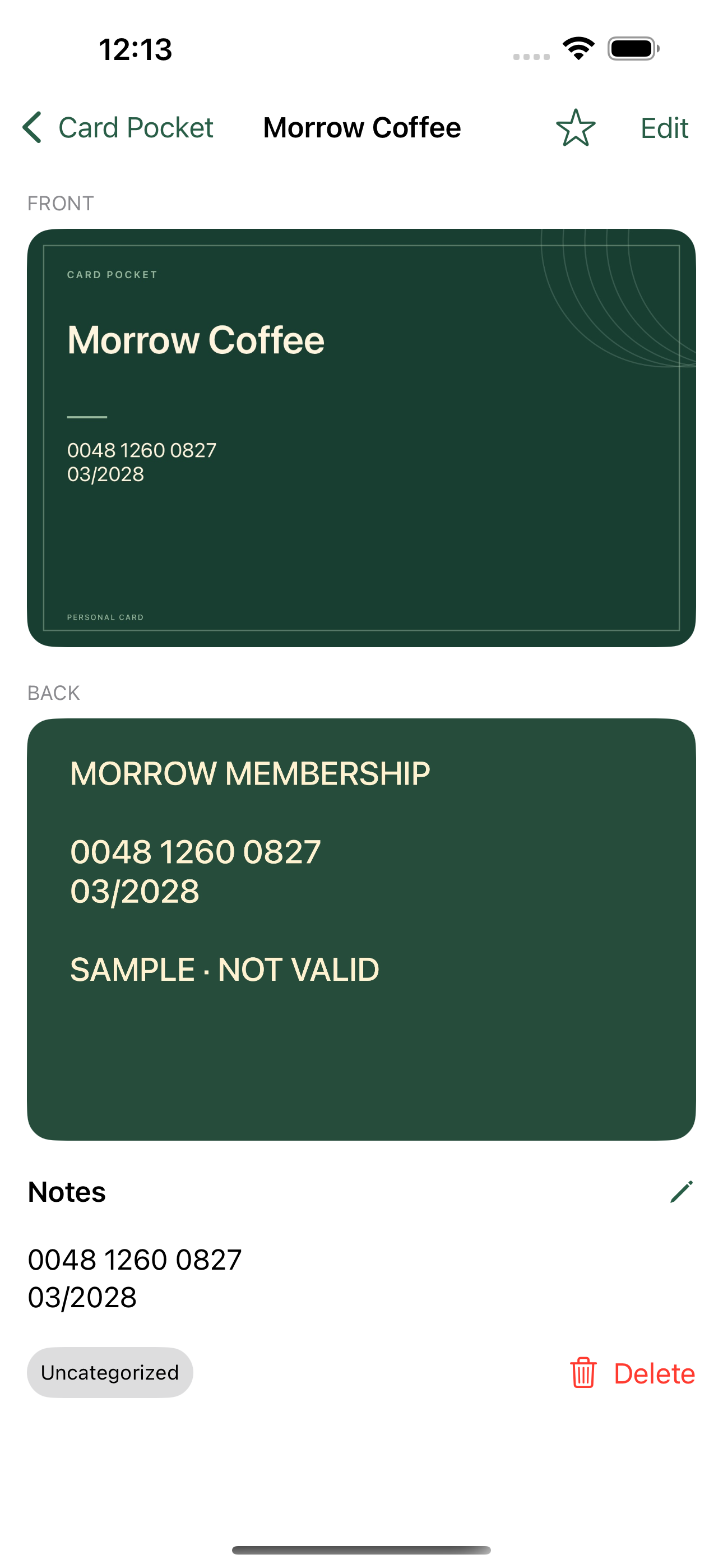
The card list screen, with a search field and four cards. The card detail screen, showing front, back, and notes in one scroll.

Features

Capture. Organize. Find.

Keep the photos, numbers, and notes of your membership, loyalty, and other everyday cards in one place. They are saved on your device, so you can look them up offline.

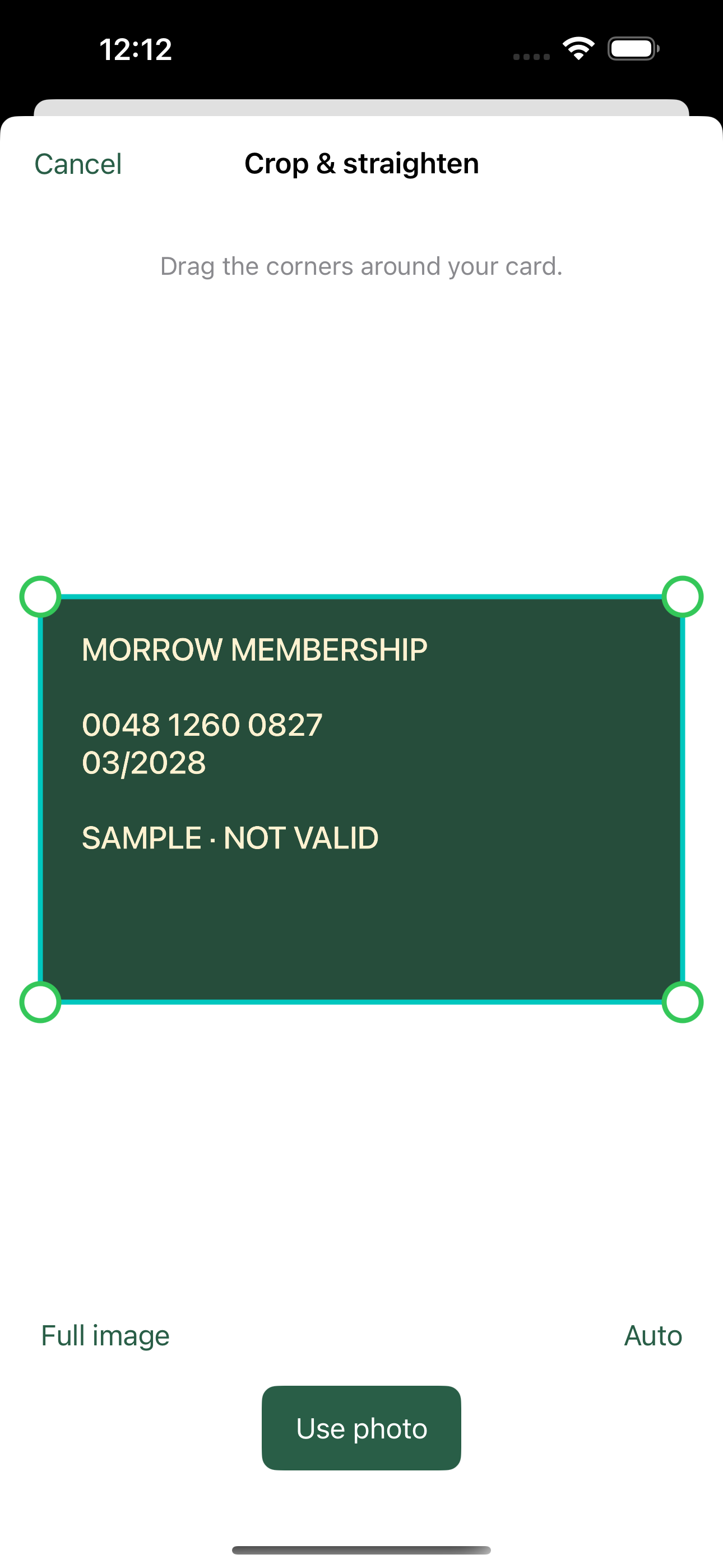
The crop and straighten screen. Drag the corner circles to adjust.
1

Add a card with less effort

Photograph both sides or choose existing images. Detect the card's edges, crop away the background, and correct its perspective. Fine-tune the corners with a magnified view and crosshair. Retake either side or adjust the crop later.
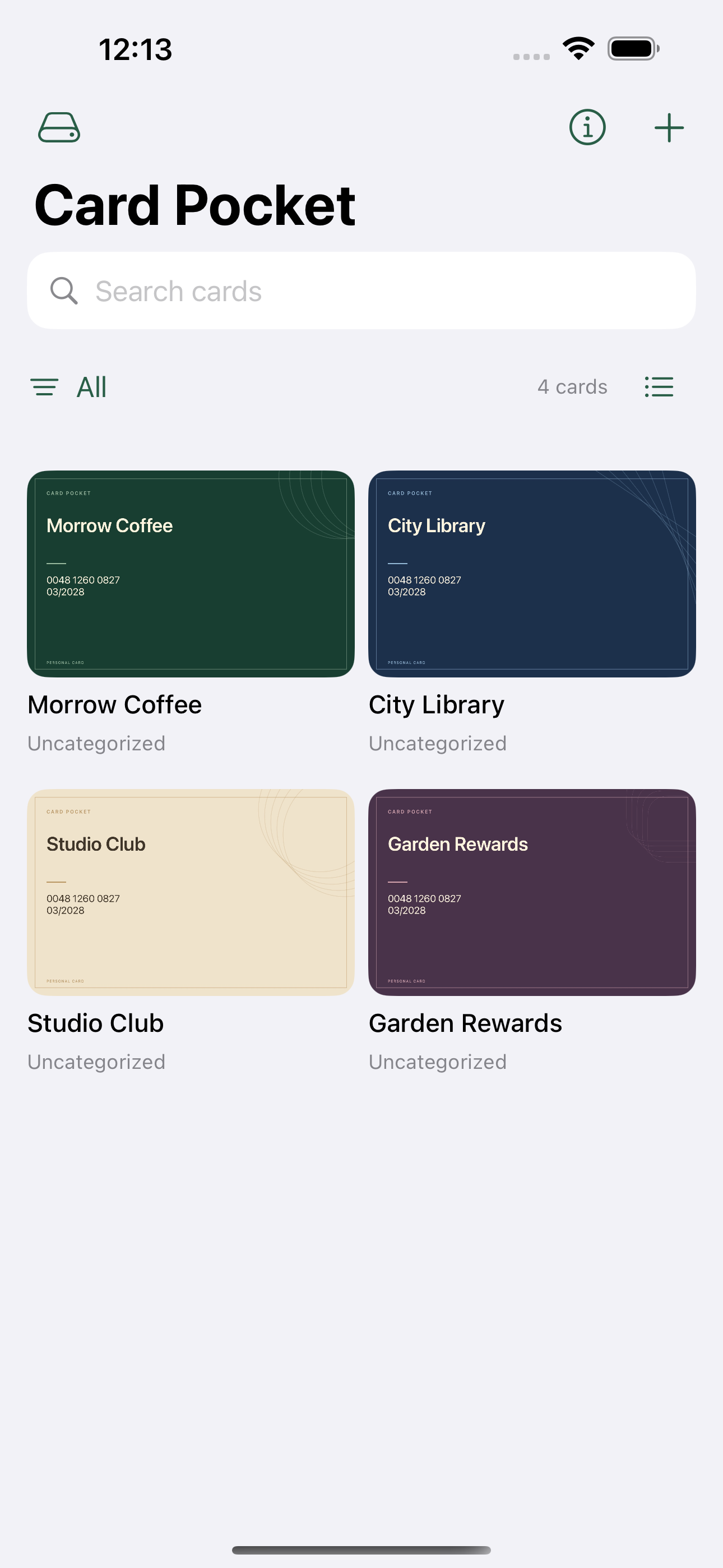
The card list screen, with a search field and four cards.
2

Find what you need

Browse a card-image grid or a list. Search names and notes, organize with favorites and categories, and arrange cards in your own order.

The card detail screen, showing front, back, and notes in one scroll.
3

See both sides together

Open a card to see its front, back, and notes on one scrolling screen. Tap an image to enlarge it. No need to rotate your phone or switch between sides.

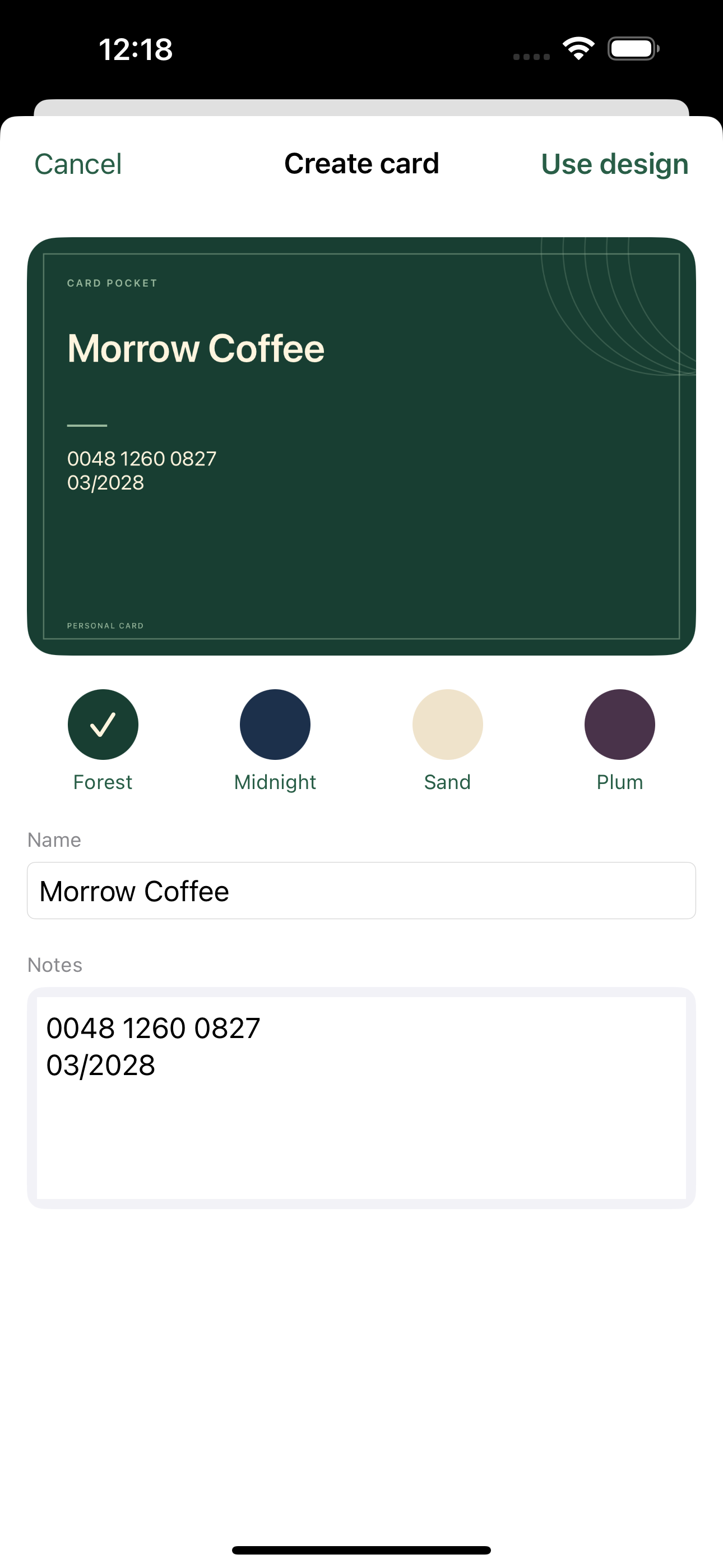
The create card screen. Choose one of four designs and enter a name and notes.
4

No physical card? No problem

Choose from four designs and place the card name and your notes on a new front image. Preview it before saving. Full notes remain available even when long text is shortened on the image.

Screens are from the iPhone version, in English. Card names and numbers are samples.

More, right on your device

Read numbers on your device

Recognize printed digits and month/year text from card images. Empty notes can be filled automatically when you add a photo. You can also read numbers manually, review and correct the result, then add it to your notes.

Privacy

Your card data stays with you

What matters most is that you keep your card information in your own hands.

  • No account, no ads, no usage tracking.
  • Card photos, notes, image processing, and number recognition stay on your device.
  • Saved card images and details are encrypted. Opening the app requires authentication.
  • We do not receive your card data or backups, and we do not store them on a server.
  • Backups are manual, to a location you choose. There is no automatic cloud sync.

Backup

Back up yourself. Move on your own.

Create a password-protected backup and save it to a location you choose through the system file picker. When you change phones, restore it in Card Pocket on a compatible phone. It works between iPhone and Android, too.

Switching phones, in three steps.

  1. 1

    Create a backup

    Protected with a password and encrypted.

  2. 2

    Choose where to save it

    Pick the location yourself in the system file picker.

  3. 3

    Restore on another phone

    Restore with the file and password in a compatible Card Pocket.

  • Restoring compares cards by their unique IDs and change history. Cards with the same ID and identical content are not added again.
  • If changes conflict, you can review them and choose. You can also replace the whole collection after confirming.
  • We cannot reset or recover your backup password.

Promise

Built to last.

As long as the developer is able to keep developing in good health and spirits, we intend to keep supporting new OS versions and make the improvements that are needed. We value the goal of managing your cards with peace of mind, and we will keep Card Pocket simple to use.

  • Move between iPhone and Android

    With an encrypted backup file and its password, you can bring your cards from iPhone to Android, or from Android to iPhone.

  • Back up and restore on your own

    We never receive your card data. You choose where to save the backup, and you restore it yourself.

  • Manual backups, not automatic sync

    Create a backup whenever you want. When you change stores, a separate purchase may be required.

Card Pocket

iPhone (iOS 17 or later) / Android (Android 10 or later)

View on the App Store Android: coming soon

The Android version is being prepared for release. We will announce it here when it is available.

FAQ

Frequently asked questions

Is Card Pocket a card wallet? Can it replace the physical card?

Card Pocket is a card holder for reference: it stores photos, numbers, and notes so you can look them up quickly. It does not make payments or issue official digital passes, and it is separate from payment and wallet apps such as Apple Wallet. Whether a card image is accepted depends on the card issuer or location.

Where is my backup saved?

You choose the location in the system file picker. We never receive your backup.

How do I move my cards to a new phone?

Create a backup in Card Pocket on your current phone, then restore it in Card Pocket on the new, compatible phone. Keep a usable backup before changing phones or removing the app.

What happens when I restore a backup?

A normal restore compares cards by their unique IDs and change history. Cards with the same ID and identical content are skipped, and conflicts can be reviewed. The same physical card registered separately has a different ID, so cards are not removed as duplicates just because their images or text look the same. You can also replace the entire collection after confirming.

I forgot my backup password.

We cannot reset or recover it. Without the password, the backup cannot be restored. Keep your backup file and password safe.

Is number recognition accurate?

It may make mistakes. Check important numbers against the original card.

Do I need to buy the app again?

Purchases are managed separately by each app store. A separate purchase may be required when you change stores.

Which languages does the app support?

The app interface is in English. This site's explanations are provided in 7 languages.

Contact

Contact

For questions, help, or privacy requests, email us.

cardp@aions.jp

Please include your phone model, operating system version, app version, and a description of the issue. Do not send card photos, full card numbers, device passcodes, app PINs, or backup passwords.

The Privacy Policy is provided in English. Operator: aions